Drop a PNG file here, or select a PNG file
PNG Format Viewer

PNG (Portable Network Graphics) is a widely used format for still images on the web and in documents, with good lossless compression.
A PNG file starts with an 8-byte signature, followed by chunks containing control data, metadata, and image data. Each chunk has a 4-byte length, 4-byte type code, 4-byte CRC, and type-specific fields.
This tool reads a PNG file and inspects its structure, listing chunks and fields plus any format violations. Useful for hidden metadata and for building compatible PNG readers/writers.
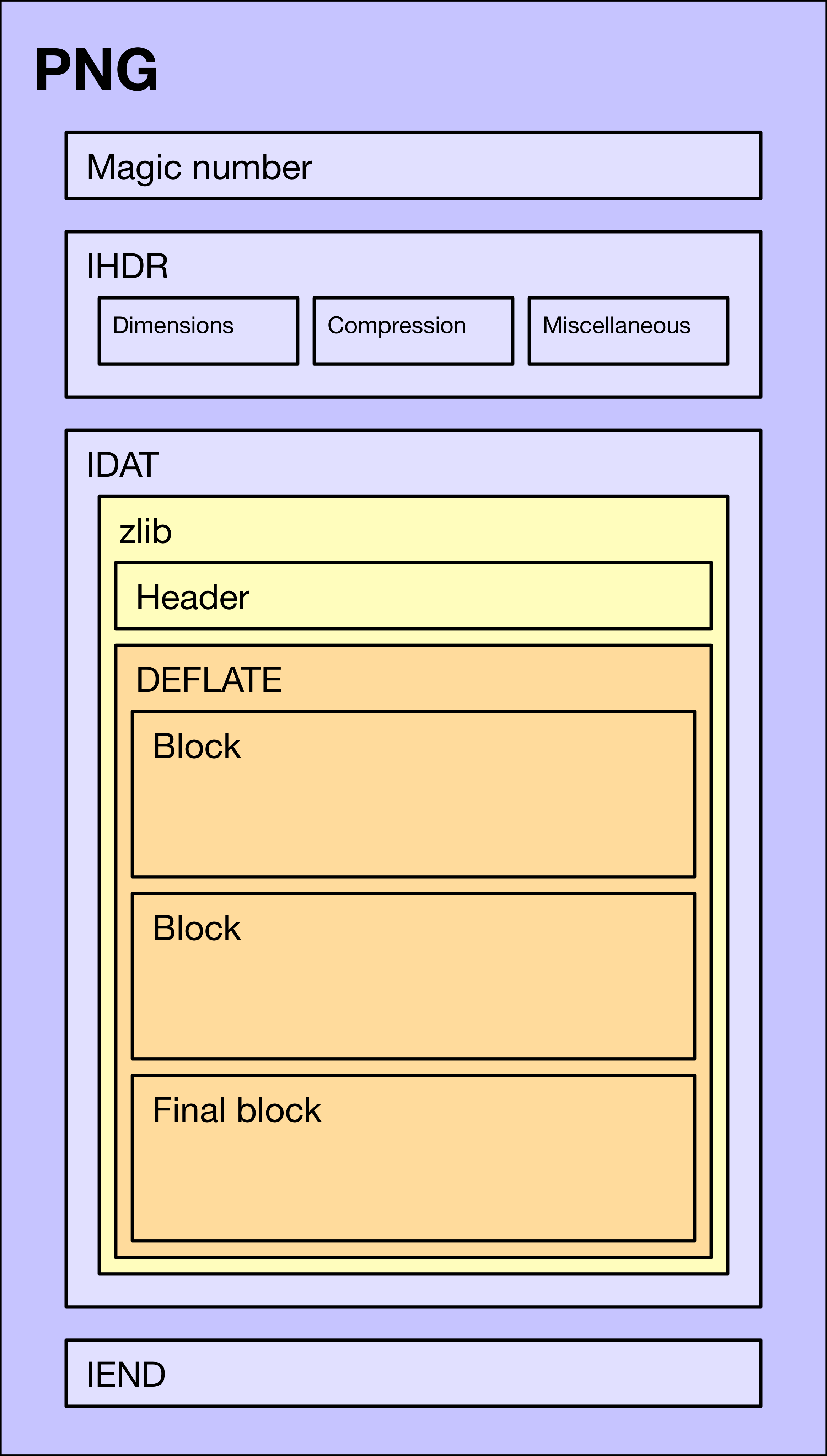
Chunks:
| Offset | Raw Data | Summary | Data | Errors |
|---|
How to Use
🔍 Overview
Analyze PNG file structure in depth — signature, chunks, metadata, and validation details for developers and designers.
📋 Capabilities
- Structure: Parse the 8-byte signature and all chunks.
- Chunk details: Offset, type, length, and CRC for each chunk.
- Metadata: Extract embedded metadata.
- Validation: Check conformance to the PNG specification.
- Diagnostics: Report format errors.
💡 Steps
- Click the upload area or drag a PNG file in.
- The file structure is parsed automatically.
- Review chunk details in the table.
- Check the "Errors" column for issues.
- Inspect what each chunk contains.
🎯 Use Cases
- Learning the PNG format.
- Image software development and debugging.
- PNG integrity checks.
- Finding hidden metadata.
- Spec validation.
- Digital forensics and security review.
- Compression research.
📊 Chunk Types
- IHDR: Image header — width, height, color type, etc.
- PLTE: Palette (indexed-color images only).
- IDAT: Compressed image data.
- IEND: End of image marker.
- tEXt/iTXt/zTXt: Text and metadata.
- gAMA: Gamma information.
- cHRM: Chromaticity.
- Other: Various auxiliary chunks.
✨ Highlights
- Full parse: All standard PNG chunks.
- Rich detail: Offsets, raw data, and summaries.
- Error detection: Format and spec violations.
- Clear tables: Structure shown in tabular form.
- Instant analysis: Results right after upload.
- Local only: Analysis runs entirely in the browser.
⚠️ Notes
- PNG files only — not other image formats.
- Large files may take longer to parse.
- Non-standard or damaged PNGs may not parse fully.
- Results are for technical analysis, not guaranteed 100% accuracy.
- Files are not uploaded to a server.
- Use a modern browser for the best experience.
💡 Tips
- Start with IHDR for basic image properties.
- Check IDAT count and size for compression insight.
- Look at text chunks (tEXt, iTXt, etc.) for hidden metadata.
- Use CRC values to verify chunk integrity.
- Compare different PNGs to learn format patterns.
- Use error messages to diagnose format problems.
❓ FAQ
- Why can’t some PNG files be parsed?
The file may be corrupt, non-standard, or not a real PNG. Ensure it is complete and valid. - What does the "Errors" column show?
Format errors, CRC failures, wrong chunk order, and other spec violations. - What is an offset?
The byte position of a chunk in the file — useful for low-level inspection. - What is CRC?
Cyclic redundancy check — detects corruption during transfer or storage. - Can this tool repair errors?
No — it only analyzes and reports. Use dedicated image editors to repair files.